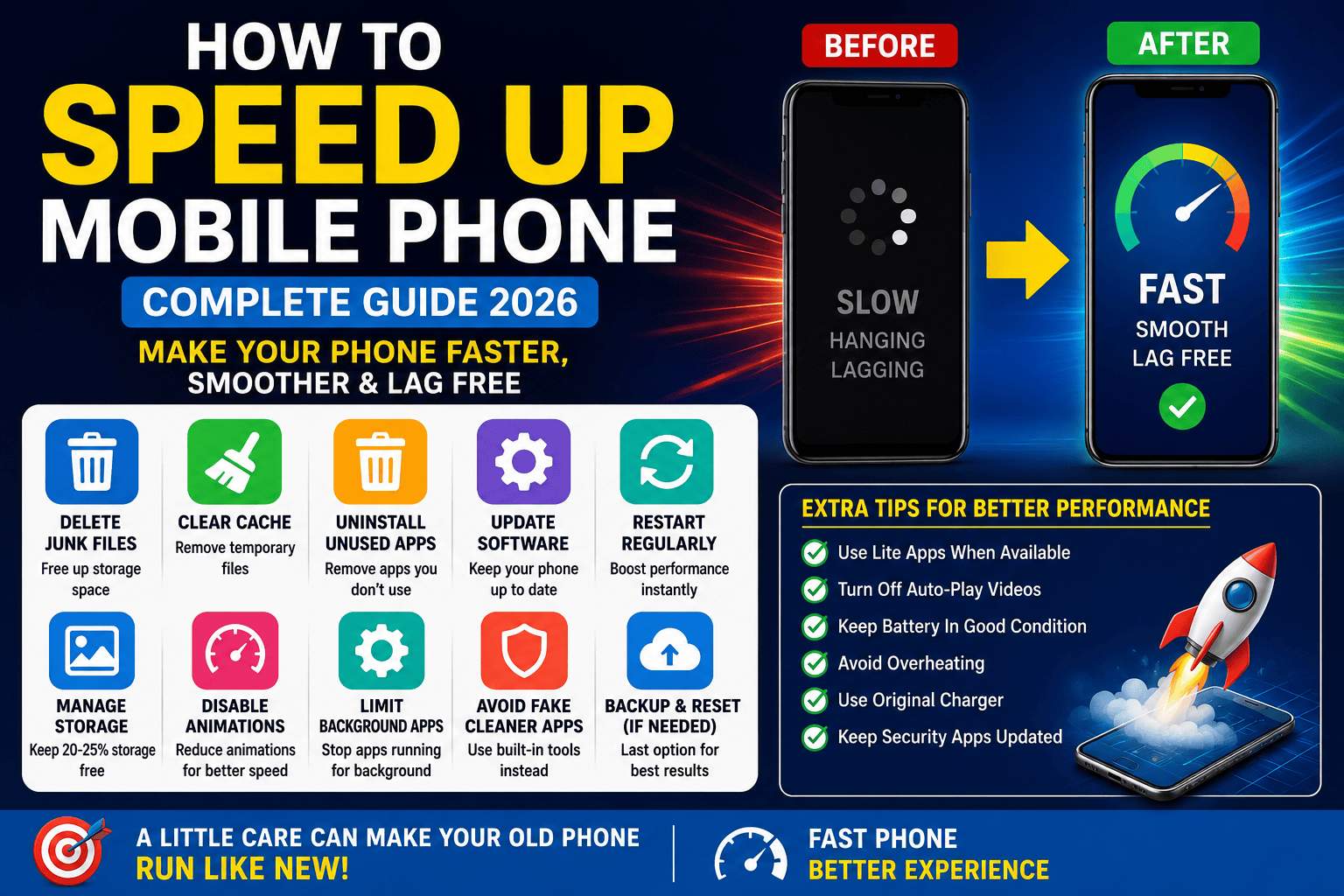
Smartphones have become an essential part of our daily lives. Whether it’s making calls, browsing the internet, online banking, social media, watching videos, or working remotely, we rely on our phones for almost everything. However, over time, many users notice that their mobile phone becomes slow, apps take longer to open, and the device starts hanging or freezing frequently.
The good news is that you don’t always need to buy a new phone. In most cases, a few simple maintenance steps can significantly improve your smartphone’s performance.
Why Does a Mobile Phone Become Slow?
There are several reasons why your smartphone may start slowing down:
- Internal storage is almost full.
- Too many apps are running in the background.
- Cache and junk files have accumulated over time.
- The phone’s software is outdated.
- Heavy apps are being used on an older device.
- The phone hasn’t been restarted for a long time.
When these issues build up, they consume storage, RAM, and processing power, causing the phone to become sluggish.
1. Restart Your Phone Regularly
Restarting your phone is one of the simplest and most effective ways to improve performance.
When you restart your device:
- Background apps are closed.
- RAM is cleared.
- Temporary system glitches are fixed.
- Overall performance becomes smoother.
Tip: Restart your phone at least once or twice a week.
2. Remove Unused Apps
Many users install apps they rarely use. These apps can continue running in the background and consume valuable system resources.
Consider uninstalling:
- Old games
- Shopping apps you no longer use
- Unused social media apps
- Apps that haven’t been opened for months
Removing unnecessary apps frees up storage and improves speed.
3. Clear App Cache Safely
Apps store temporary files called cache to improve loading times. Over time, these files accumulate and may slow down your phone.
How to Clear Cache
- Open Settings.
- Go to Apps or Applications.
- Select an app.
- Tap Storage.
- Choose Clear Cache.
Important: Avoid tapping Clear Data unless necessary, as it will erase the app’s stored information.
4. Keep Enough Free Storage
A phone with nearly full storage performs much slower than one with available space.
Try to keep at least 20–25% of your internal storage free.
You can free up storage by:
- Deleting old photos and videos.
- Removing duplicate files.
- Clearing unnecessary WhatsApp media.
- Deleting downloaded files you no longer need.
- Moving files to cloud storage or a memory card (if supported).
5. Update Your Phone Software
Software updates often include:
- Performance improvements
- Bug fixes
- Security patches
- Battery optimizations
To check for updates:
Settings → Software Update → Download and Install
Keeping your device updated helps maintain smooth performance.
6. Disable Live Wallpapers and Extra Animations
Live wallpapers and visual animations consume additional RAM, battery, and processor resources, especially on older smartphones.
For better performance:
- Use a static wallpaper.
- Reduce or disable system animations.
- Avoid animated widgets unless necessary.
7. Limit Background Apps
Many apps continue running even when you’re not actively using them.
To reduce background activity:
- Restrict unnecessary apps from running in the background.
- Disable auto-start for apps you rarely use.
- Close apps you no longer need.
This helps improve both speed and battery life.
8. Delete Junk Files Regularly
Temporary files, downloads, and unused documents gradually fill your storage.
Regularly remove:
- Old downloads
- Duplicate photos
- Temporary files
- Unnecessary screenshots
- Large videos you no longer need
A clean phone runs faster and more efficiently.
9. Avoid Fake Cleaner and RAM Booster Apps
Many third-party “RAM Booster” or “Phone Cleaner” apps promise dramatic speed improvements but often do little besides showing advertisements and consuming resources.
Instead, use your phone’s built-in storage management tools whenever possible.
10. Reset Your Phone Only If Necessary
If your phone remains slow after trying all the above methods, performing a factory reset may help.
Before resetting:
- Back up your photos, contacts, documents, and important files.
- Sign out of important accounts if needed.
A factory reset should be your last option.
Common Mistakes That Slow Down Your Phone
Avoid these habits:
- Keeping storage almost full
- Installing apps from unknown sources
- Never restarting the phone
- Using too many widgets on the home screen
- Installing unnecessary RAM booster apps
- Ignoring software updates
Conclusion
A slow smartphone doesn’t always mean it’s time to buy a new one. In most cases, regular maintenance such as clearing cache, deleting unnecessary apps, keeping enough free storage, updating the software, and restarting the phone regularly can greatly improve performance.
By following these tips, you can make your Android or iPhone run smoother, reduce lag, and enjoy a faster mobile experience in 2026.
Frequently Asked Questions (FAQs)
Q1. Does factory resetting a phone improve its speed?
Yes. A factory reset removes unnecessary data and restores the phone to its original state. However, it should only be used after trying other optimization methods.
Q2. Is clearing cache safe?
Yes. Clearing cache is completely safe and helps remove temporary files without deleting your personal data.
Q3. Can an old smartphone become faster?
Yes. Reducing background apps, freeing storage, updating software (if available), and removing unnecessary files can noticeably improve the performance of older smartphones.
Q4. Should I buy a new phone if mine is slow?
Not necessarily. First, try all the optimization methods mentioned above. If your phone still struggles due to outdated hardware or no longer receives software updates, upgrading to a newer device may be the better option.
